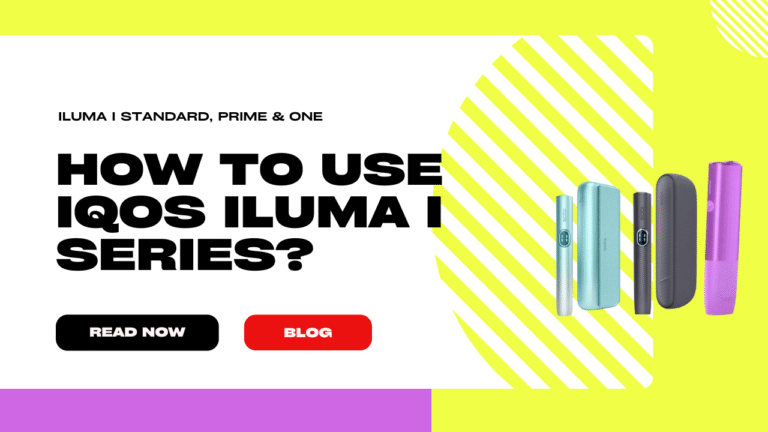
Are you ready to take your tobacco experience to the next level? The IQOS ILUMA i Series has finally arrived in the UAE, with a truly game-changing blade-free heating system that gives you the real taste of tobacco without the hassle of smoke, ash, or the struggle of keeping your old device clean. This brand-new IQOS ILUMA i device range – Standard i, the all-in-one One i, and the luxury Prime i – raises the bar for heated tobacco technology and sets a whole new standard.
This guide is just what you need – a straightforward, step-by-step companion that will walk you through setting up, using, and maintaining your device so you get the most out of it, whether you’re in Dubai, Abu Dhabi, or anywhere else in the Emirates.
We want to give you a tasteful alternative to smoking, with less of the mess and more of the enjoyment. And that’s exactly what the IQOS ILUMA Collection does with its advanced SMARTCORE INDUCTION SYSTEM technology.
Overview of IQOS ILUMA i Models
Which Device Fits Your Lifestyle?
Choosing a new device from the IQOS ILUMA i Series isn’t going to happen unless you first figure out what your daily routine and style are all about. All the models share the same cutting-edge SMARTCORE INDUCTION SYSTEM and work exclusively with TEREA tobacco sticks, but each one has its unique look and set of features.
| Feature | IQOS ILUMA i Prime | IQOS ILUMA i Standard | IQOS ILUMA i One |
| Design | Premium, elegant wrap, and anodized aluminium cover. | Classic, familiar IQOS design with an interchangeable door. | Compact, all-in-one pocket-sized design. |
| Components | Pocket Charger and Holder. | Pocket Charger and Holder. | Single, integrated device. |
| Consecutive Uses | Up to 3 uses without Holder recharge (Performance Mode). | Up to 3 uses without Holder recharge (Performance Mode). | Up to 20 consecutive uses. |
| New Features | Touch Screen, Pause Mode, FlexPuff, FlexBattery. | Touch Screen, Pause Mode, FlexPuff, FlexBattery. | Touch Screen, Pause Mode, FlexPuff, FlexBattery. |
| Target User | The frequent user who values premium design and customization. | The user who prefers the classic IQOS two-part system. | The beginner or on-the-go user who needs simplicity and portability. |
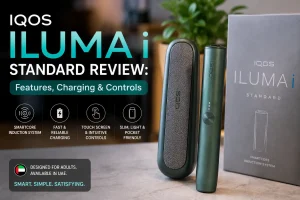
At one end of the scale, the IQOS ILUMA i Prime Kit offers the ultimate luxury experience, while the IQOS ILUMA i One gives you a super portable device with long lasting battery life. And then there’s the IQOS ILUMA i Standard, a great balance of new tech and what feels like a traditional familiar handling.
IQOS ILUMA Available Colors 🎨
| Device Model | Available Colors |
| IQOS ILUMA i Prime | Aspen Green, Breeze Blue, Garnet Red, and Black |
| IQOS ILUMA i Standard | Breeze Blue, Digital Violet, Black, and Vivid Terracotta |
| IQOS ILUMA i One | Breeze Blue, Violet, Lime Green, Midnight Black, and Orange |
| Original IQOS ILUMA | Blue, Light blue, Green, Beige, Gray, Red, Neon Purple, Orange, Golden |
| Original IQOS ILUMA Prime | Bronze Taupe, Gold, Jade Green, Black |
| Original IQOS ILUMA One | Azure Blue, Moss Green, Pebble Beige, Pebble Gray, Sunset Red |
What’s in the Box?
When you first get your hands on your New Iluma i Device it’s normally pretty simple to unpack, but do make sure you have all the bits and pieces that you should be getting in the box.
IQOS ILUMA i Prime and IQOS ILUMA i Standard
These two-part systems come with:
- Holder (the bit where you stick your TEREA stick) and a
- Pocket Charger (the case that you keep the Holder in).
- You’ll also find a USB-C cable and a power adapter to charge your Pocket Charger and a proper
- User Manual to guide you through the whole process
IQOS ILUMA i One
Things are a bit simpler with the all-in-one IQOS ILUMA i One device – you just get:
- The actual device itself (all in one unit)
- A good USB-C cable and power adapter to keep it charged.
- User Manual to get you started.
Tip: Before using the device for the first time, make sure all components are intact and undamaged, as the induction system should not reveal any visible heating elements.
Step-by-Step Guide: How to Use IQOS ILUMA i Models
Using your IQOS ILUMA i Prime, Standard, or One is super easy with the new auto-start and touch screen. Follow these steps for a perfect session every time.
Step 1: Charge Your Device
You must fully charge your New IQOS Iluma i device before first use. This ensures peak battery performance and consistency.
- Prime & Standard: Put the Holder in the Pocket Charger, then plug the Pocket Charger into a power outlet using the provided adapter and USB-C cable. All four lights on the Pocket Charger will turn solid white when fully charged (about 2 hours and 15 minutes).
- One: Plug the device directly into the power outlet. The single light will turn off when fully charged (about 1 hour and 30 minutes).
Step 2: Insert the TEREA Stick
Remember to only use TEREA tobacco sticks with your IQOS ILUMA i Series device.
- Insert the TEREA stick into the Holder or all-in-one device, filter side down.
- Push it down to the silver line on the filter.
- The device will vibrate and the light will pulse—this is the Autostart feature engaging the induction heating. You don’t need to press a button to start heating.
Step 3: Enjoy Your Session & Use New Features
When the light becomes solid and the device vibrates again, you’re good to go.
- Inhalation: Take slow, steady puffs. Session lasts up to 6 minutes or 14 puffs.
- Touch Screen (Prime & Standard): Tap the screen to see the time left in the session or the number of uses left.
- Pause Mode (All Models): If you need to stop mid-session, press the side button on the Standard/Prime Holder or the main button on the One. The light will blink, and you have up to 8 minutes to resume by pressing the button again.
- FlexPuff (All Models): This new smart feature will detect if you haven’t fully consumed the stick at the end of the session and give you a few extra puffs to make sure you get the best experience.
Step 4: Remove the Stick & Store Your Device
- When the light goes out, remove the used TEREA stick straight up. Never twist it, that can break the internal heating element of the stick.
- Dispose of the used TEREA stick.
- Prime & Standard: Put the Holder back in the Pocket Charger, and it’s ready to go again in minutes!
- One: The device will cool down and be ready for consecutive use once fully charged.
Cleaning & Maintenance Tips for the UAE Climate
One of the greatest benefits of the New IQOS ILUMA i device is the revolutionary bladeless design, which means you never have to clean the heating chamber! The TEREA sticks are fully sealed, eliminating tobacco residue inside the device.
However, a little external care goes a long way, especially in the UAE:
- Exterior Wipe-Down: Use a clean, dry cloth or a cotton swab to gently wipe the charging contacts on the Holder and the inside of the Pocket Charger weekly. This prevents dust and debris—a common issue in sandy environments like Dubai and Abu Dhabi—from interfering with the connection.
- Avoid Liquids: Never use water or liquid cleaners inside or on the charging contacts. The induction system is sensitive.
- Protect from Heat: Direct, intense sunlight can rapidly degrade the device’s battery and internal electronics. Store your IQOS ILUMA i Prime or Standard Pocket Charger in a cool, shaded place when not in use.
Troubleshooting Common Issues: Quick Fixes
Even with the advanced design of the IQOS ILUMA i Collection, you might encounter a minor glitch. Here is how to fix the most common issues directly:
| Issue | Cause | Solution |
| Device won’t turn on | Low battery or minor software error. | Charge it first. If the issue persists, perform a Reset: Press and hold the main button on the Pocket Charger (Prime/Standard) or the button on the One for about 10 seconds until all lights blink. |
| Stick not heating | Improper insertion or TEREA stick error. | Ensure proper insertion. Push the TEREA stick in until you feel the device vibrate. If it still doesn’t work, discard the TEREA stick and try a new one. |
| LED Blinking Yellow | Low charge in the Holder (Prime/Standard) or device (One). | Recharge Immediately. This is your warning to connect the device or place the Holder in the Pocket Charger. |
| Holder Starts Heating on its Own | Accidental Autostart activation. | Remove the stick if one is present. Perform a Reset (as above). If the issue continues, use the IQOS app to disable the Autostart feature. |
Tips for the Best IQOS ILUMA i Experience in the UAE
Maximizing your experience with an IQOS in the Emirates is really all about developing a few good habits that’ll not only protect your investment but also get the most out of those delicious IQOS hits.
Get the best from your TEREA sticks
Stick (no pun intended) with the original TEREA sticks. The sealed packaging is actually super important for the SMARTCORE INDUCTION SYSTEM to work properly. Don’t even think about swapping them out for some older HEETS sticks – they just aren’t compatible & will probably damage your device.
Don’t leave your IQOS baking in the desert sun
Be careful when you leave your IQOS in a car parked in the summer sun – you could be looking at battery damage. Don’t leave your IQOS ILUMA i One, Standard, or Prime in direct sunlight or a hot vehicle for any length of time. The summer heat really takes a beating out of the battery, and that’ll shorten its life big time.
Keep your battery in good condition
Modern lithium-ion batteries are happiest when you’re topping them up regularly, rather than letting them completely drain to zero. Try to get your IQOS ILUMA i Prime Kit charged up when the charge lights get down to 50%.
Stay powered up on the go
When you’re on the move – whether that’s from Sharjah to Abu Dhabi or just waiting around at Dubai International Airport – it’s a good idea to carry the Pocket Charger (for Prime/Standard) or a portable power bank (for One) so you’re never without a full charge and can always get the most out of your IQOS.
Conclusion
The IQOS ILUMA i Series truly represents the next generation of heated tobacco. By embracing the blade-free induction technology, the IQOS ILUMA i Prime, Standard, and One offer adult users in the UAE a significantly cleaner, more effortless, and more satisfying alternative to traditional smoking.
By following this guide, you ensure the correct usage and maintenance of your device, leading to better flavor, maximum battery life, and a safer experience. You have the expertise now to master your device and enjoy the best of modern heated tobacco.
Explore Vape Hype and use your IQOS ILUMA i Standard, One, or Prime in UAE for a premium tobacco experience today.
FAQs About the IQOS ILUMA i Models
Are IQOS ILUMA i One and Standard compatible with the same TEREA sticks?
Yes. All devices in the IQOS ILUMA i Series (Prime, Standard, and One) use TEREA sticks exclusively. They are not compatible with older HEETS or other brands.
How long does each TEREA stick last?
Each TEREA stick delivers a session of approximately 6 minutes or 14 puffs, whichever comes first. This is consistent across all ILUMA i models.
Can the devices be charged with a power bank?
Yes. Any IQOS ILUMA i device can be charged using a standard USB-C power bank, though using the original IQOS cable and adapter is recommended for optimal battery health.
How often should I clean the device?
No cleaning is needed. The SMARTCORE INDUCTION SYSTEM™ is bladeless, and the TEREA sticks are fully sealed, eliminating the tobacco residue.
Can I use IQOS ILUMA i outdoors in UAE’s hot weather?
Yes, but avoid prolonged exposure to temperatures above 40°C to protect the internal battery and electronics.