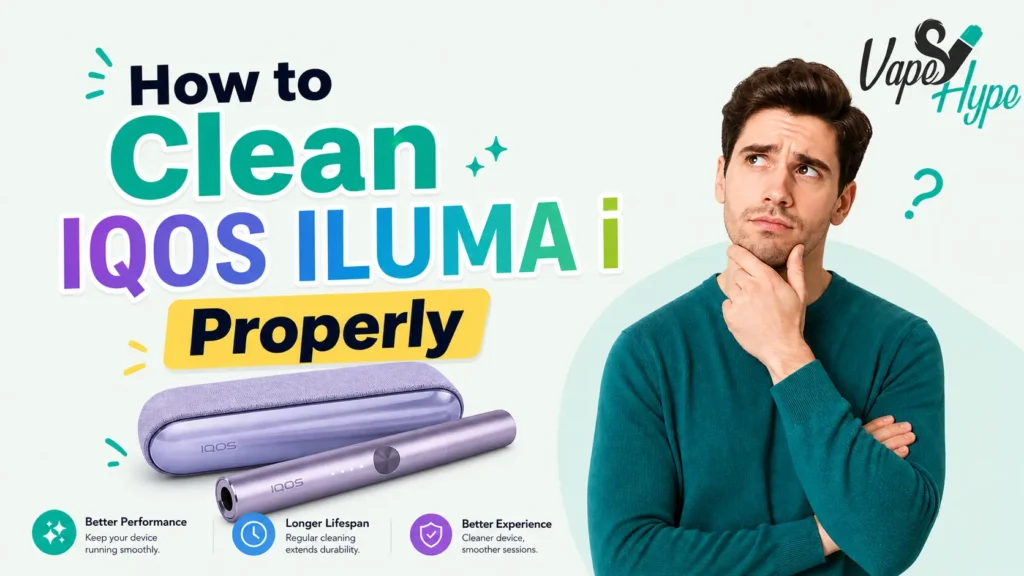
If you recently switched from an older IQOS device like the 3 DUO, you are probably expecting to grab your cleaning brush and do the usual ritual. The good news? That whole routine is gone. The IQOS ILUMA i works so differently that traditional cleaning simply does not apply.
That said, living in the UAE brings its own set of challenges. The summer heat in Dubai and Abu Dhabi can push past 45 degrees Celsius. Humidity along the coast, desert sand, and dusty air all affect your device in ways most guides do not bother to explain. This guide covers everything: the simple maintenance steps, what not to do, how to store your TEREA sticks properly, and how to keep your ILUMA i device performing at its best through the harshest UAE summers.
Why the IQOS ILUMA i Is Almost Self-Cleaning
To understand why cleaning has changed so much, you first need to know how the IQOS ILUMA i heats tobacco. Older models like the IQOS 3 DUO used a thin ceramic blade that physically pierced the HEETS stick and heated the tobacco directly. Over time, tobacco residue built up on that blade, affecting flavor and creating a risk of blade breakage during cleaning.
The IQOS ILUMA i uses something completely different: the SMARTCORE Induction System. There is no blade at all. Instead, the device sends electromagnetic heat directly into a stainless steel element that is sealed inside each TEREA stick. The tobacco heats from the inside out without ever touching the device walls.
Because the tobacco stays sealed inside the TEREA stick throughout the entire session, nothing is left behind inside the holder. No residue. No buildup. No ash. When you pull out the used TEREA stick, the inside of your ILUMA i looks exactly as clean as it did before you started.
What Maintenance Your IQOS ILUMA i Actually Needs
Even though internal cleaning is off the table, your IQOS ILUMA i still benefits from a little regular care on the outside. Think of it like caring for your phone: you do not clean the processor, but you do wipe the screen and keep the charging port free of dust.
Here is what actually needs attention:
- The exterior of the holder and pocket charger collect fingerprints, dust, and pocket lint over time.
- The charging contacts between the holder and pocket charger can accumulate dust, which affects charging performance.
- The USB-C charging port on the pocket charger can collect debris, especially if you carry it in your bag or pocket.
- The opening at the top of the holder, where you insert the TEREA stick, can occasionally gather environmental dust in sandy or outdoor UAE environments.
None of these are major issues, but staying on top of them keeps your device working smoothly and looking sharp, whether you are in a business meeting in DIFC or spending time outdoors in Sharjah.
Step-by-Step IQOS ILUMA i Cleaning and Maintenance Guide
Follow these steps once a week or whenever the device looks like it needs attention. The whole process takes under two minutes.
Step 1: Let the holder cool down completely
Never clean or handle the device immediately after a session. The holder retains heat for a short time after use. Wait at least one to two minutes before touching it. This protects both you and the internal induction components.
Step 2: Wipe the holder exterior with a dry microfiber cloth
Take a soft, dry microfiber cloth and gently wipe the outside of the holder. This removes fingerprints, light dust, and surface grime. Do not press hard. A light wipe in one direction is enough. Microfiber is the best choice because it does not scratch the surface and does not leave fibers behind.
Step 3: Clean the charging contacts
Look at the bottom of the holder and the inside of the pocket charger where the holder sits. You will see small metal contact points. Gently wipe these with a dry cloth. Dirty contacts are one of the most common reasons users in the UAE experience charging issues, especially in dusty environments like those around Sharjah and Al Ain.
Step 4: Check and clear the USB-C charging port
Take a close look at the USB-C port on the pocket charger. Over time, pocket lint and dust collect inside this port, especially if you carry the device in a bag without a case. If you see debris, use a soft, dry brush or a gentle puff of air to clear it out. Do not use anything metal or sharp inside the port.
Step 5: Tap the holder opening to remove loose dust
Although TEREA sticks do not leave residue, environmental dust from UAE outdoor environments can drift into the holder opening over time. Hold the holder opening face down and give it a couple of gentle taps. Any loose particles will fall out. Do not insert any tool, brush, or stick into the opening. The induction system inside is sensitive and can be damaged by foreign objects.
Step 6: Wipe down the pocket charger exterior
Give the outside of the pocket charger a wipe with the same dry microfiber cloth. Pay attention to the lid area and any seams where dust tends to collect. If the charger has a leather or fabric finish (as on the ILUMA i Prime), use an even lighter touch to avoid scuffing the material.
Step 7: Return the holder to the pocket charger and store properly
Once you are done, place the holder back inside the pocket charger. This keeps it protected from dust exposure when not in use. Store the device in a cool, dry place away from direct sunlight, especially important during UAE summer months.
What You Must Never Use to Clean the IQOS ILUMA i
This is where many users go wrong, especially those who are used to older IQOS devices. The ILUMA i is a completely different piece of technology, and the things that worked before can actually cause damage now.
Do not use water or any liquid
Water and electronic components are a bad combination. Even a small amount of moisture entering the holder opening or the charging port can corrode internal components. In a humid coastal city like Dubai or Abu Dhabi, this risk is even higher because the air itself carries moisture.
Do not use alcohol wipes
This surprises many people. Alcohol wipes seem like a logical cleaning tool, but the IQOS ILUMA i has a sensitive induction sensor inside the holder. Alcohol-based cleaners can degrade the seals and coatings around this sensor over time. Stick to dry cleaning only.
Do not use the cleaning tools from older IQOS models
If you still have the dual cleaning tool or cleaning sticks from your IQOS 3 DUO, do not try to use them with the ILUMA i. These tools were designed to reach and clean around a blade. The ILUMA i has no blade, and inserting these tools into the holder opening can damage the induction heating system.
Do not use cotton buds or toothpicks
Cotton buds can leave fibers inside the holder, which may interfere with TEREA stick insertion or the induction process. Toothpicks and other sharp objects risk scratching or damaging the opening. If something is stuck, a gentle tap is always the better approach.
Do not use compressed air cans
It might seem harmless, but the pressure from a compressed air can is too strong for the sealed induction components. The force can push debris further in rather than out, and in some cases can damage the internal sealing.
| Important: Cleaning Mistakes That Void Your WarrantyUsing liquids, unofficial tools, or inserting objects into the IQOS ILUMA i holder can void your warranty. In the UAE, IQOS offers a one-year warranty on devices purchased from trusted retailers. Stick to dry exterior cleaning to keep your warranty valid. |
UAE-Specific Care Tips: Heat, Humidity, Sand, and Summer
Living in the Emirates means your IQOS ILUMA i faces conditions that users in Europe or Japan never deal with. Here is what you need to know.
Summer heat above 40 degrees Celsius
The IQOS ILUMA i is designed to operate between 0 and 40 degrees Celsius. In UAE summer, outdoor temperatures regularly exceed this range. When the device is outside its operating range, the holder indicator light will flash white twice as a warning signal. If you see this, bring the device indoors to an air-conditioned space and let it cool before your next session. Do not try to force a session when the device is giving you a temperature warning.
Never leave the device in a parked car
This is one of the most important rules for UAE users. The interior of a parked car in summer Dubai can reach 70 degrees Celsius or more. At that temperature, the lithium-ion battery inside your ILUMA i can degrade significantly or fail. The device casing can warp. Even TEREA sticks left in a hot car will dry out or degrade, giving you a weak and unpleasant session afterward.
Coastal humidity in Dubai, Abu Dhabi, and Sharjah
The humidity in UAE coastal cities can be very high, especially between July and September. High humidity can affect the charging contacts and the USB-C port, as moisture in the air slowly settles on metal surfaces. Keep the device in a case or inside the pocket charger when you are not using it. Wipe the charging contacts more frequently during peak humidity months.
Sand and desert dust
If you use your IQOS ILUMA i outdoors in sandy areas or during a shamal wind event, pay extra attention to the holder opening afterward. A gentle tap downward will dislodge any dust particles. In dusty conditions, keeping the device in a protective case when not in use is a smart habit. A silicone cover for the ILUMA i, available from authorized UAE retailers, provides a good barrier against environmental particles.
Moving between air-conditioned and outdoor environments
Going from a 23-degree mall into 45-degree outdoor heat causes rapid temperature changes that can create condensation on the device surface. Pat the outside dry with a microfiber cloth when this happens. Never charge the device immediately after a large temperature shift. Give it five to ten minutes to reach room temperature first.
Read our expert guide: Which IQOS ILUMA i Device Is Best for Heavy Smokers? The Ultimate UAE Guide
TEREA Stick Storage Is Part of Your Maintenance Routine
Many UAE vapers focus entirely on caring for their device and forget that the TEREA sticks themselves also need proper storage. In the UAE climate, this matters more than you might think.
- Keep unopened TEREA packs sealed in a cool, dry place. A desk drawer or cabinet away from windows is ideal.
- Once a pack is opened, use the sticks within two weeks for the best flavor experience.
- Never store TEREA sticks in a car, near a window, or in direct sunlight. The tobacco inside can dry out quickly in UAE heat, leading to weak vapor and a harsh, burnt taste.
- High humidity can also damage opened TEREA sticks by making the tobacco too moist, which causes uneven heating and a reduced session quality.
- Buy TEREA sticks only from authorized UAE retailers. Counterfeit or grey-market sticks from unofficial WhatsApp sellers are a real issue in the UAE market. Fake sticks often have poor sealing, which means tobacco particles can enter the holder opening and cause issues over time.
| How to Spot Authentic TEREA Sticks in the UAE: Genuine TEREA sticks have a consistent firm texture, a clean filter, and a strong sealed end. If the stick feels loose, the filter looks uneven, or the foil wrapper is not properly sealed, do not use it. Counterfeits are common and can affect both performance and device health. |
IQOS ILUMA i vs. IQOS 3 DUO: How Cleaning Has Changed
If you are upgrading from the IQOS 3 DUO, the difference in maintenance is significant. Here is a full comparison so you know exactly what has changed:
| Feature | IQOS ILUMA i | IQOS 3 DUO |
| Cleaning method | None (bladeless induction) | Blade brush + cleaning sticks |
| Internal residue | Zero (TEREA sticks are sealed) | Yes, tobacco residue on blade |
| Cleaning frequency | Not required | Every 20 uses (one pack) |
| Tools needed | Microfiber cloth only | Dual cleaning tool + sticks |
| Cleaning time | 60 seconds exterior wipe | 5 to 10 minutes per session |
| Blade damage risk | None (no blade) | Yes, blade breaks easily |
| Compatible sticks | TEREA sticks only | HEETS sticks only |
| Residue smell | Minimal | Can be strong if not cleaned |
For the average UAE user who smokes one pack of TEREA sticks per day, switching to the IQOS ILUMA i saves roughly 30 to 40 minutes of cleaning time every week. That is over three hours per month of time you get back, without compromising on the heated tobacco experience.
Understanding Your IQOS ILUMA i Light Signals
Your IQOS ILUMA i communicates its status through LED indicator lights. Knowing what these signals mean helps you catch maintenance issues early, before they affect your session.
- White double-blink on the holder: The device is outside its safe operating temperature range (below 0 or above 40 degrees Celsius). Move to a temperature-controlled environment and wait before using.
- Solid red light on the holder: System error. The first step is always to perform a reset by pressing and holding the pocket charger button for 10 seconds until all lights briefly turn off and then back on.
- Amber or orange flashing: Battery is low. Charge the device using the official IQOS charger before your next session.
- Green steady glow: Device is fully charged and ready for use.
- No lights at all: Battery may be fully drained. Place the holder in the pocket charger and wait for the charging indicator to appear before trying to use the device.
Most light errors that UAE users report are caused by one of three things: heat exposure (leaving the device in a hot car or outdoor area), low or drained battery, or dirty charging contacts. Addressing these with the maintenance steps in this guide resolves the majority of issues without needing to contact support.
Common Issues UAE Vapers Mistake for Cleaning Problems
Some performance issues look like cleaning problems but actually have different causes. Here is how to tell the difference:
Weak vapor or poor flavor
Usually not a device issue. Old or heat exposed TEREA sticks can dry out and reduce flavor. Use a fresh pack and check you are not using HEETS since they are not compatible with ILUMA i.
Device not heating or charging
Check and clean the charging contacts as dust is a common cause. If the issue continues, use the official IQOS USB C charger since third party adapters may not provide proper power.
Unpleasant smell from the device
The smell usually comes from the outer surface, not inside. Wipe it with a dry microfiber cloth. Also, store TEREA sticks properly to avoid any stale odor.
Final Thoughts: Simple Habits for a Long-Lasting Device
The IQOS ILUMA i has made maintenance genuinely easy. The days of blade cleaning, residue scrubbing, and worrying about a broken heating element are over. For UAE vapers in Dubai, Abu Dhabi, or anywhere across the Emirates, the main things to focus on are the environment: heat, dust, humidity, and proper storage.
Keep the exterior clean with a dry microfiber cloth. Check the charging contacts regularly. Store the device at room temperature away from direct sunlight. Keep your TEREA sticks sealed and fresh. That is essentially the full maintenance routine for one of the most advanced heat-not-burn devices available in the UAE right now.
Follow these habits and your IQOS ILUMA i will deliver a consistent, clean, and satisfying experience every single session. You can find all kinds of Terea Iluma products at our Vape Hype online store.
Frequently Asked Questions
Can I use alcohol wipes to clean the IQOS ILUMA i?
No. Alcohol wipes can damage the device. Use a dry microfiber cloth instead.
How often should I clean my IQOS ILUMA i?
Wipe the outside every few days and check charging contacts weekly. Clean more often in dusty or hot conditions.
My IQOS ILUMA i smells strange do I need to clean it?
Not usually. The smell often comes from old or poorly stored TEREA sticks. Try a fresh pack and wipe the device.
Can I use HEETS with my IQOS ILUMA i?
No. The device only works with TEREA sticks. HEETS are not compatible.
Is there an IQOS cleaning service in the UAE?
Yes. IQOS stores may offer basic device care, mainly for checks and updates rather than cleaning.
Does heat affect the IQOS ILUMA i battery?
Yes. High temperatures can reduce battery life. Keep it cool, avoid hot cars, and use the official charger.