
If your RELX just started blinking at you out of nowhere, take a breath first. It is not broken. That little light is the only way a buttonless, screenless device has to talk to you, and once you learn its language, a blinking RELX stops being scary and starts being useful. This guide walks through what the device is actually doing when it blinks, what each pattern really means according to RELX’s own support material, and what to do about it, including a few things that matter more if you are vaping in Dubai or anywhere else in the UAE.
How a RELX Device Actually Works
Before the light patterns make sense, it helps to understand what is happening inside the device every time you take a puff.
A RELX device has no power button. You insert a pod, and the device is ready. When you inhale through the mouthpiece, a small sensor inside the device detects the airflow and switches on the heating element inside the pod. That heating element (RELX calls it a ceramic coil in most of its current pods) turns the e-liquid into vapor almost instantly. Let go of the inhale, and the coil turns off again. That is the entire cycle, and it repeats every single time you puff.
The LED light sits on top of this system as a status report. It is wired to the same battery and circuit that runs the sensor and coil, so when something in that chain changes, whether it is the battery getting low, the pod not sitting properly, or the circuit sensing something unusual, the light changes with it. In other words, the blinking is not random. It is the device reporting on its own internal state in real time.
This is also why RELX and similar closed pod systems are so easy for beginners. There is nothing to set, adjust, or remember beyond charging the device and swapping the pod when it runs dry. The light is the only feedback loop you need to pay attention to.
The Full RELX Blinking Light Guide
Here is a straightforward reference table you can come back to any time your device starts flashing.
| What you see | What it usually means | What to do |
| Solid, steady white light while plugged in | The device is fully charged | Unplug and start using it |
| White light that pulses on and off while plugged in | The device is currently charging | Leave it plugged in until the pulsing stops |
| No light at all when plugged in | Dead battery, loose cable, or dirty charging port | Check the cable and port, try a different outlet |
| Light off while sitting unused | Normal. The device rests when it is not being puffed | Nothing needed |
| Slow red flash while puffing | Low battery | Charge the device |
| Light flashes 10 times | Battery is very low and needs charging soon | Plug it into a charger |
| Light flashes 3 times | Depends on the model. On some devices this is an inhale protection response to a very hard or long draw, or an overcharge protection response from unplugging too roughly right after a full charge | Take a gentler puff, or unplug more carefully next time |
| Light blinks while the pod is being inserted or removed | The device is detecting the pod connection | Make sure the pod clicks firmly into place |
| Persistent or irregular blinking that will not stop after charging | Possible liquid inside the device causing an electrical issue | Clean the contacts, try a gentle reverse puff, and contact support if it continues |
A quick myth to clear up here, because it comes up a lot in vape forums and shop blogs: many people assume ten flashes means a short circuit. According to RELX’s own support pages for the Classic and Infinity 2 devices, ten flashes is simply the low battery warning. It is telling you to charge the device, nothing more dramatic than that. If you have been avoiding your charger because you thought your device was damaged, this is good news.
What Causes Each Relx Device Pattern And Why
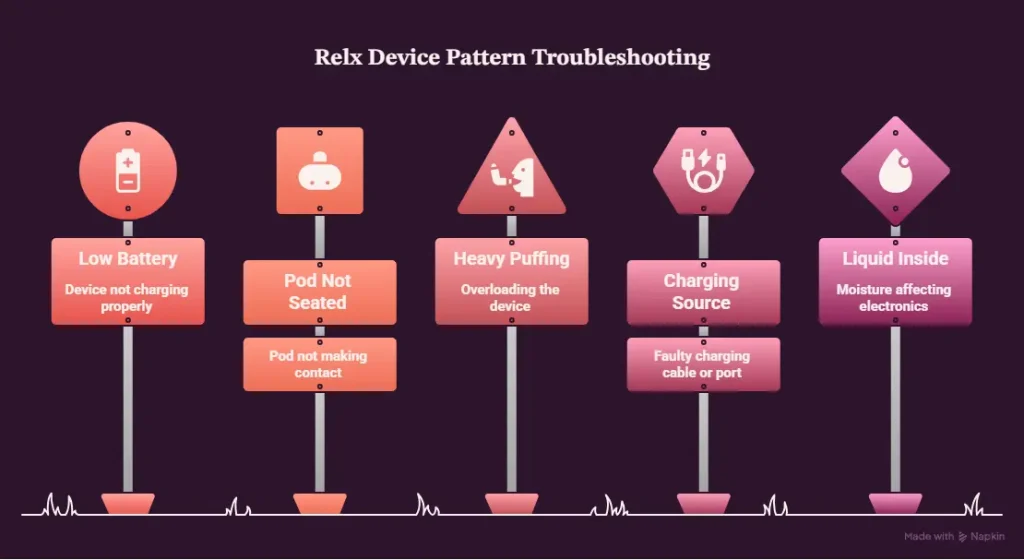
Low Battery
This is the single most common reason a RELX blinks, and it is also the easiest to fix. When the battery drops to a certain point, usually shown as a slow red flash and eventually the ten flash warning, the device is simply asking for power. RELX devices typically take somewhere around 45 to 60 minutes for a full charge using the cable provided, and the light will pulse white the entire time before settling to a steady white once it is done.
Pod Not Seated Correctly
Pods connect to the device through small metal contact points. If the pod is even slightly off, dirty, or not pushed all the way in, the device can struggle to detect it and will let you know with a blink. Pull the pod out, wipe both the pod’s bottom contacts and the inside of the device with a dry cloth or cotton swab, then push the pod back in firmly until you feel or hear it click.
Heavy or Rapid Puffing
Some RELX devices include a built in response to protect you from a draw that is too long or too hard. On the Classic device specifically, this shows up as three flashes and is described by RELX as inhale protection. If this happens, simply ease off and take a shorter, gentler puff next time.
Charging Source Problems
If your RELX starts resetting or behaving oddly right after you plug it in, the cause is often the power source itself rather than the device. RELX support advises using the original charging cable and letting the device sit plugged in for around ten minutes if this happens, since a charger that is too weak or too strong for the device can confuse the internal circuit.
Liquid or Moisture Inside the Device
This is the one pattern worth taking seriously. If the light keeps flashing in an irregular way even after a full charge and a clean pod connection, there may be e-liquid or moisture that has worked its way into the internal contacts. RELX’s own guidance here is to clean the device and try a gentle reverse puff, which means blowing air out through the mouthpiece instead of inhaling, to help clear any blockage. If the flashing continues after that, this is the point where RELX recommends contacting their support team rather than trying to force a fix yourself, especially if you suspect actual water damage.
Best RELX Pod Flavors for Smooth Nicotine Delivery: Ultimate Guide
Step-by-Step Fixes You Can Try Right Now
- Charge the device using the original cable for at least ten minutes before assuming anything is wrong. A lot of blinking issues are simply a battery asking for attention.
- Remove the Relx pod, check both sets of contact points for dust, residue, or leftover e-liquid, and wipe them clean with a dry cotton swab.
- Reinsert the pod firmly and listen or feel for the click that confirms a proper connection.
- Check your charging port and cable for dust or debris before plugging in again, particularly if you have not cleaned the device in a while.
- If the device still won’t charge, try a different cable, plug, or outlet to rule out the power source rather than the device itself.
- For a device that keeps flashing irregularly with no clear cause, try a light reverse puff to clear any trapped liquid, then let the device sit and dry for a while before testing again.
- If none of this resolves the issue, reach out to RELX support or the store you purchased from, and have your proof of purchase ready so they can check your warranty.
RELX Blinking Issues in Dubai and the Wider UAE
A few local conditions come up often enough among UAE vapers that they deserve their own mention, even though these are general usage tips rather than official RELX specifications.
Heat is the biggest factor
Leaving any vape device in a parked car or in direct sunlight during summer puts real strain on the battery and can affect the pod’s seal. If your device has been sitting somewhere hot, let it cool down completely before charging or using it.
Dust and fine sand are a common cause of charging problems
In this region simply because of how much airborne dust settles into small openings like a USB-C port over time. A quick check and clean of the charging port before you plug in can save you a lot of guessing.
Humidity along the coast, in cities like Abu Dhabi and Sharjah, can lead to condensation
Inside the pod or device, which sometimes shows up as a slight gurgling sound or a taste change rather than a light issue, but it is worth knowing about if you notice both symptoms together.
Buying sealed, genuine RELX stock matters more here than people expect
Fake pods circulate in some parts of the grey market, and using one in a genuine device can cause connection problems that look exactly like a hardware fault when the real issue is the pod itself. If you keep seeing the same blinking pattern across multiple pods but the device works fine otherwise, it is worth checking the authenticity of the pods you are using rather than assuming the device needs replacing. Read this full guide: How to Spot Fake RELX Pods in UAE
Are All RELX Models the Same?
Not exactly, and this is worth knowing before you troubleshoot based on something you read about a different model. The Classic and the Infinity 2 both use the same ten-flash pattern for low battery, and RELX’s official Infinity 2 device is a 12-month warranty from the date of purchase. Beyond that, exact battery size, charging speed, and specific light behavior can vary slightly across the Relx Infinity 2, Essential, and Relx Artisan lines. If you are troubleshooting a specific model and want to be precise, it is always worth checking the instructions that came with that exact device, since RELX has refined the light and haptic feedback system across different generations.
When to Stop Troubleshooting and Consider a Replacement
Most blinking issues are solved within a few minutes using the steps above. That said, there are a few signs that point toward a genuine hardware problem rather than something you can fix at home. If the device won’t hold a charge at all even after a full charging cycle, if the light behavior stays abnormal no matter which pod you try, or if you know the device has come into contact with a significant amount of liquid or has been dropped hard, it may be time to contact support or look at a replacement rather than continuing to troubleshoot. Keep your receipt or order confirmation, because the retailer you bought it from or RELX support will usually ask for proof of purchase before arranging a warranty replacement.
Frequently Asked Questions
Why is my RELX blinking red when I puff?
This almost always means the battery is running low. Charge the device and the flashing should stop.
Why does my RELX device blink but no vapor comes out?
Check that the pod is inserted properly and the contacts are clean. If the pod is empty or the coil inside it has burned out, replacing the pod usually solves this.
What does it mean if my RELX flashes ten times?
According to RELX’s own support pages, this is a low battery warning, not a fault. Plug it in and it should charge normally.
Is a blinking RELX device broken?
Not usually. In most cases blinking is the device communicating a simple, fixable issue like low battery or a loose pod. Persistent, irregular flashing after charging and cleaning is the one situation worth contacting support about.
Can heat in the UAE affect my RELX device?
Yes. Leaving a device in a hot car or direct sun can affect both the battery and the pod seal. Let the device cool before charging or using it again.
How do I know if my RELX pod is genuine?
Buy only from a trusted retailer that sells sealed, genuine stock, like Vape Hype Shop, and check the packaging for any verification codes RELX provides. Fake pods are more likely to cause connection issues that look like a device fault.
How long does a RELX device take to charge?
Around 45 to 60 minutes using the original cable, based on RELX’s own support guidance.
Final Thoughts
A blinking RELX device is rarely bad news. Most of the time it is simply telling you the battery needs a top up, the pod needs reseating, or you took a puff a little too hard. Learn the pattern once, keep your device clean, charge it with the original cable, and buy your pods from a trusted source, and you will spend far less time wondering what that little light is trying to say. If your device is still acting up after trying everything here, don’t hesitate to reach out to RELX support directly or the retailer you bought it from. That is exactly what warranty support exists for.