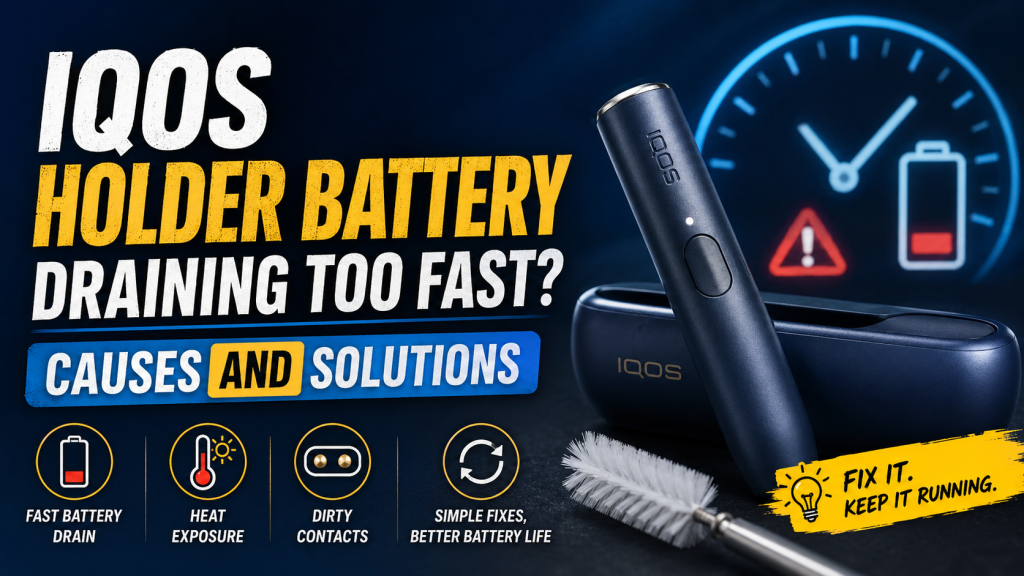
You reach for your IQOS, expecting a smooth session, and the light blinks red before you’re even halfway through your first TEREA stick of the day. Sound familiar?
If your IQOS holder battery is draining way faster than it used to, you’re not imagining it and you’re definitely not alone. It’s one of the most common complaints we hear from IQOS users here in the UAE, where summer heat and daily use combine to put extra strain on that little lithium-ion battery packed inside your holder.
The good news? Most battery drain issues have a clear cause and most of them are fixable without buying a whole new device. In this guide, we’ll walk through exactly why your IQOS holder battery might be dying fast, how to diagnose what’s really going on, and the fixes that actually work (not just generic “restart it” advice).
How the IQOS Holder Battery Actually Works
Before jumping into fixes, it helps to understand what you’re working with.
The IQOS holder has a small built-in lithium-ion battery, separate from your pocket charger’s battery. Every time you use a tobacco stick, the holder heats up to a precise temperature, uses its charge, and then needs to sit back in the pocket charger to refill.
A few basics worth knowing:
- One holder charge = one heating session (roughly 6 minutes or 14 puffs, depending on your device generation)
- A full pocket charger = about 20 holder charges, which is why IQOS designed it to match a pack of sticks
- Lithium-ion batteries degrade naturally over time, this isn’t unique to IQOS, it’s the same chemistry inside your phone or laptop
- Holder battery health is separate from pocket charger health, if your holder dies fast but the charger seems fine, the issue is usually isolated to the holder itself
If you’re consistently getting fewer sessions per charge than you used to, something has changed and it’s worth figuring out what.
Common Causes of Fast Battery Draining
Here’s a breakdown of the usual suspects, from most common to least common:
| Cause | Why It Happens | How Common It Is |
|---|---|---|
| Natural battery aging | Lithium-ion cells lose capacity after repeated charge cycles (typically noticeable after 12–18 months) | Very common |
| Dirty charging contacts | Debris or residue blocks the connection between holder and charger, causing incomplete charging | Very common |
| Extreme heat or cold | UAE summers, direct sunlight, or leaving your device in a hot car degrade battery chemistry faster | Very common (UAE-specific) |
| Overcharging or leaving it plugged in | Constant full-charge cycles stress the battery over time | Common |
| Non-genuine chargers or cables | Inconsistent power delivery can damage battery cells | Common |
| Outdated firmware | Software bugs sometimes interfere with power management | Occasional |
| Heavy daily usage | More heating sessions per day naturally means faster battery cycling | Occasional |
| Manufacturing defect | Rare, but possible in newer devices | Rare |
Worth noting: if you live in Dubai, Abu Dhabi, or Sharjah, heat is a bigger factor than most guides mention. Leaving your IQOS in a car, a bag in direct sun, or near a window can quietly shorten battery life, even if you’re doing everything else right.
How to Diagnose What’s Actually Wrong
Before you assume the worst, run through this quick checklist:
- Count your sessions per charge. If you’re consistently getting fewer than 15–20 heats from a full pocket charger, that’s a real drop-off worth investigating.
- Check the indicator lights. Blinking red, orange, or irregular flashing usually points to a charging or battery-health issue rather than normal wear.
- Inspect the charging contacts. Look for dust, lint, or residue on both the holder and the charger, this is the single most overlooked cause of “battery” problems that are actually connection problems.
- Test with a different cable or charger (if your model uses one) to rule out a faulty accessory.
- Note when the drain started. Sudden drain often points to firmware, contacts, or damage. Gradual drain over months points to normal aging.
Quick Diagnostic Table
| Symptom | Likely Cause | Try This First |
|---|---|---|
| Battery drains faster than usual, but device still charges normally | Natural aging or heavy usage | Track sessions per charge for a few days |
| Holder won’t hold charge at all | Dirty contacts or dead battery | Clean contacts, then test again |
| Charging light blinks irregularly | Firmware glitch or bad connection | Reset device, check for updates |
| Battery drains fast only in summer/outdoors | Heat exposure | Store device indoors, avoid direct sun |
| Sudden, sharp drop in performance | Possible defect or damage | Contact the retailer you bought it from |
Quick Fixes You Can Try Right Now
These take less than 10 minutes and solve the majority of battery complaints:
- Clean the charging contacts. Use a dry cotton swab (never water or liquid) to gently wipe the metal contacts on both the holder and the pocket charger. Dust and residue here is the #1 hidden cause of “battery” problems.
- Let the device cool before recharging. Charging a warm holder immediately after use can affect charge efficiency. Give it a minute or two.
- Avoid leaving it plugged in overnight. Once it’s fully charged, unplug it. Constant trickle charging adds unnecessary strain.
- Restart the device. Hold the power button for about 10 seconds until it vibrates, this clears minor software hiccups without deleting anything.
- Check for firmware updates through the IQOS app if your device supports it. Some battery issues are genuinely software-related.
Long-Term Habits That Protect Your Battery
If quick fixes solve today’s problem, these habits prevent tomorrow’s:
- Follow the 20-80 rule. Like most lithium-ion devices, IQOS batteries last longer when you avoid letting them hit 0% or sit at 100% for long periods.
- Keep it at room temperature. Ideally between 15°C and 25°C, which means avoiding your car dashboard, direct sunlight, or leaving it near a window in summer.
- Clean weekly, not just when there’s a problem. A build-up of tobacco residue makes the heating element work harder, which quietly drains the battery faster.
- Use only genuine chargers and accessories. Third-party cables can deliver inconsistent voltage that degrades battery cells over time.
- Don’t chain-use the device. Back-to-back sessions without letting the holder rest can accelerate wear.
When to Repair vs. When to Replace
Sometimes a holder has simply reached the end of its useful life. Here’s how to know which category you’re in:
| Situation | Recommendation |
|---|---|
| Device is under 12 months old, drain is sudden | Contact support or the retailer you bought it from |
| Device is 12–21+ months old, gradual drain | Normal battery aging : consider a replacement holder |
| Cleaning and resets haven’t helped | Battery is likely degraded : replacement is more cost-effective than repair |
| Physical damage (cracked casing, water exposure) | Replace : repair costs often exceed a new holder |
| Random shutdowns even at full charge | Battery health issue : replacement recommended |
Lithium-ion batteries aren’t designed to be “restored” once they’ve degraded, you can slow the decline, but you can’t reverse it. If you’re past the 18-month mark and running through multiple charges a day just to get through what used to take one, it’s usually time for a new holder rather than more troubleshooting.
Keep Your IQOS Running Longer with Genuine Accessories
A big chunk of battery complaints we see actually trace back to non-genuine chargers, worn-out holders, or accessories that weren’t designed for the specific IQOS model in use. Using authentic, compatible parts isn’t just about performance, it protects the battery itself from the inconsistent power delivery that accelerates wear.
The Bottom Line
Fast battery drain almost always comes down to one of a handful of causes: aging, dirty contacts, heat exposure, or charging habits. Start with the free fixes, cleaning the contacts and adjusting your charging routine solve the majority of cases. If the problem persists past a few weeks of proper care, it’s likely time to look at a genuine replacement holder rather than continuing to troubleshoot a battery that’s simply worn out.
Whether you’re replacing an old device or buying your first one, Vaphype offers genuine new IQOS devices with the quality and performance you can trust.
Frequently Asked Questions
How long should an IQOS holder battery last per charge?
A healthy holder typically lasts one full heating session (roughly 6 minutes) per charge, with a full pocket charger providing around 20 sessions.
Can I use a phone charger cable with my IQOS?
It’s best to stick with the original cable and adapter. Third-party chargers can deliver inconsistent current that shortens battery lifespan over time.
Why does my IQOS battery drain faster in summer?
Heat accelerates lithium-ion battery degradation. Leaving your device in a hot car, direct sunlight, or a warm bag can noticeably reduce battery performance, a bigger issue in the UAE than in cooler climates.
Is it normal for battery life to drop after 6 months?
Some gradual decline is normal, but a sharp drop this early is worth investigating, check contacts, firmware, and usage patterns before assuming it’s permanent wear.
How do I know if I need a new holder or a new pocket charger?
If the holder itself won’t hold a charge but charges other holders fine (or vice versa), the problem is isolated to whichever component is misbehaving. Testing with a different holder or charger, if you have access to one, quickly narrows it down.