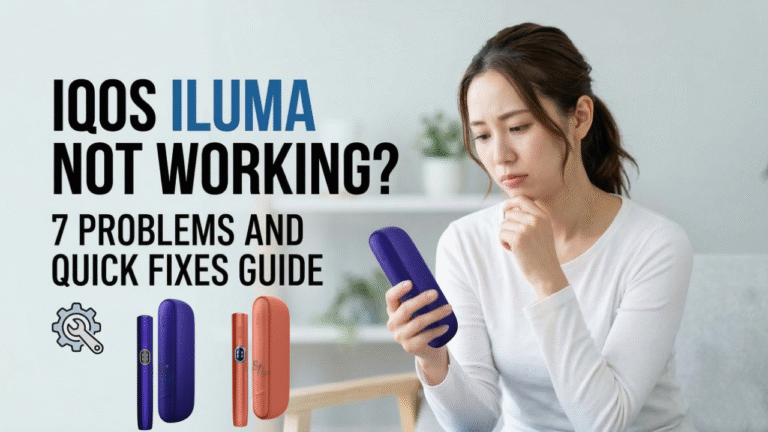
If your IQOS ILUMA device suddenly stops working, you are not alone. Many users in Dubai and across the UAE search for solutions when their IQOS ILUMA holder does not heat, the device does not charge, or a red blinking light appears.
The good news is that most IQOS ILUMA problems are simple to fix at home. Many issues happen because of a low battery, incorrect TEREA stick insertion, temperature conditions, or a minor software glitch. In most cases, a quick reset or basic troubleshooting can get the device working again.
This guide explains the 7 most common IQOS ILUMA problems and quick fixes so you can continue enjoying your TEREA sticks and heated tobacco experience without interruption.
How the IQOS ILUMA Device Works
Before fixing problems, it helps to understand how the IQOS ILUMA system operates. This device uses Smartcore induction heating technology, which heats tobacco without a blade.
Unlike older IQOS models, the ILUMA system heats the tobacco inside TEREA sticks using induction technology, which helps reduce residue and cleaning needs.
The device has three main parts:
IQOS ILUMA Components
| Component | Function |
| Holder | Heats the TEREA stick |
| Pocket Charger | Charges the holder battery |
| TEREA Stick | Tobacco stick designed for ILUMA |
The holder heats the tobacco, while the pocket charger stores power and recharges the holder after each session.
When any part of this system stops working correctly, users may experience issues such as IQOS ILUMA not heating, blinking lights, or charging problems.
Quick Troubleshooting Checklist
Before looking at specific problems, check a few basic things. Many IQOS ILUMA troubleshooting issues are solved in seconds.
Check the following:
- Make sure the pocket charger battery is charged
- Confirm the holder is inserted correctly
- Use the original IQOS charging cable
- Ensure you are using TEREA sticks, not HEETS
- Allow the device to reach room temperature
- Try a device reset
If the device still does not work, the following problems may explain what is happening.
7 Common Problems and Quick Fixes for IQOS ILUMA
If your IQOS ILUMA device is not working properly, most problems can usually be solved with a quick check or reset. Below is a simple overview of the seven common IQOS ILUMA & IQOS ILUMA I issues and how to fix them quickly.
1. IQOS ILUMA Not Turning On
One of the most common issues is when the IQOS ILUMA device does not turn on at all.
Symptoms
You may notice:
- No vibration when pressing the button
- No LED lights on the pocket charger
- Holder completely inactive
Common Causes
Several factors may cause this problem:
- Battery completely drained
- Faulty USB-C cable
- Software glitch in the pocket charger
Sometimes the battery becomes fully empty, especially if the device has not been used for several days.
Quick Fix
Follow these steps:
- Connect the device using the original IQOS charging cable
- Leave the device charging for 20 minutes
- Press and hold the charger button for 10 seconds to reset
In many cases, the IQOS ILUMA device starts working again after charging and resetting.
2. IQOS ILUMA Not Charging
Another common search among users is IQOS ILUMA not charging problem.
Symptoms
You might notice:
- Charger plugged in, but no charging light
- Holder battery is not increasing
- Charger light is blinking irregularly
Possible Causes
Charging problems usually happen because of:
- Dirty charging contacts
- Damaged charging cable
- Dust inside the charging port
- Low-quality power adapter
Small dust particles inside the charging port can prevent proper connection.
Quick Fix
Try these simple solutions:
- Clean the charging contacts gently
- Use the official IQOS USB cable
- Try a different power adapter
- Reset the pocket charger
These steps often fix IQOS ILUMA charging issues quickly.
3. IQOS ILUMA Blinking Red Light
Many users become concerned when they see the IQOS ILUMA red blinking light.
What the Red Light Means
A blinking red light usually indicates a device error or connection issue.
It can appear because of:
- Software error
- Battery issue
- Holder connection problem
Quick Fix
Try the following troubleshooting steps:
- Insert the holder back into the charger
- Hold the button for 10 seconds
- Wait for the lights to blink twice
If the red light disappears, the device has successfully reset.
If the problem continues, charge the device fully and repeat the reset.
4. IQOS ILUMA Auto Start Not Working
The Auto Start feature is designed to automatically begin heating when a TEREA stick is inserted.
However, some users report that IQOS ILUMA Auto Start does not activate.
Possible Reasons
Common causes include:
- Incorrect TEREA insertion
- Auto Start is disabled in the app
- Device software glitch
Quick Fix
Try these steps:
- Insert the TEREA stick slowly and fully
- Make sure the stick is straight
- Reset the holder
- Check the Auto Start setting in the IQOS app
Once fixed, the device should automatically start heating when the stick is inserted.
5. IQOS ILUMA Not Heating
If the IQOS ILUMA holder does not heat, your session cannot start.
Symptoms
- Device vibrates, but no heating
- No vapor from the stick
- Session stops immediately
Possible Causes
Heating problems often occur because of:
- Holder battery empty
- Incorrect TEREA stick
- Holder not seated correctly in the charger
Quick Fix
Follow this simple process:
- Charge the pocket charger fully
- Reinsert the holder into the charger
- Insert a new TEREA stick
- Start the session again
Most heating problems are related to low battery or incorrect stick insertion.
6. Flashing White Lights on IQOS ILUMA
Another common issue is flashing white lights on the IQOS ILUMA device.
What It Means
White blinking lights often indicate:
- Temperature warning
- Battery charging status
- Device preparing for session
The device operates best between 0°C and 40°C.
Fix
If you see flashing white lights:
- Allow the device to reach room temperature
- Avoid leaving the device in direct sunlight or cold environments
- Recharge the device fully
Extreme temperature can temporarily affect the IQOS ILUMA heating system.
Fruity vs Tobacco TEREA: Which One Matches Your Style in the UAE?
7. IQOS ILUMA Stops During Session
Sometimes users notice the device stops heating in the middle of a session.
Possible Causes
This issue can happen because of:
- Low battery level
- Temperature warning
- Device system reset
Quick Fix
Try these steps:
- Recharge the pocket charger
- Restart the session with a new stick
- Reset the device
If the issue repeats frequently, the holder battery may require service.
How to Reset IQOS ILUMA Device
Resetting the device solves many IQOS ILUMA technical problems.
Reset Instructions
Follow these steps:
- Place the holder inside the pocket charger
- Press and hold the charger button for 10 seconds
- Release the button when the lights blink
Once the lights blink twice, the IQOS ILUMA system reset is complete.
After the reset, the device often works normally again.
IQOS ILUMA Light Meaning Guide
Understanding device lights helps identify problems quickly.
| Light Color | Meaning |
| White | Device ready to use |
| Blinking White | Temperature warning or charging |
| Yellow | Low battery |
| Red | Device error or connection issue |
If the red light appears repeatedly, a reset or full charge usually solves the issue.
Tips to Prevent IQOS ILUMA Problems
Proper device care helps avoid many IQOS ILUMA troubleshooting issues.
Follow these simple tips:
Charging Tips
- Always use the original IQOS cable
- Avoid cheap charging adapters
- Charge the device regularly
Device Care
- Keep the charging contacts clean
- Store the device in a dry place
- Avoid extreme heat or cold
Proper Usage
- Use only TEREA sticks designed for ILUMA
- Insert sticks gently
- Do not force the holder into the charger
These small habits improve IQOS ILUMA device performance and lifespan.
IQOS ILUMA i ONE Troubleshooting: Common Problems & Quick Fixes
When to Contact IQOS Support
If the device still does not work after troubleshooting, the issue may require professional help.
Consider contacting support if:
- Red blinking light continues after reset
- The device does not charge at all
- Holder never heats
Official service centers can check the device for hardware faults or battery replacement.
Final Thoughts
Experiencing an IQOS ILUMA device problem can be frustrating, especially when you are ready to enjoy a session. Fortunately, most issues, such as charging problems, blinking lights, heating failure, or Auto Start errors are simple to fix.
In most cases, a quick reset, full charge, or correct TEREA stick insertion will restore the device.
Understanding how the IQOS ILUMA system works and how to troubleshoot common problems can save time and help you enjoy a smooth heated tobacco experience every time.
If problems continue after trying these fixes, contacting official IQOS support or an authorized retailer in the UAE may be the best next step.
Frequently Asked Questions
Why is my IQOS ILUMA blinking red?
A red blinking light usually indicates a device error. Resetting the device or charging the battery often fixes the issue.
Why is my IQOS ILUMA not heating?
The holder battery may be empty or the TEREA stick may not be inserted correctly.
How do I reset my IQOS ILUMA?
Place the holder inside the charger and hold the button for about 10 seconds until the lights blink.
Why is Auto Start not working?
Auto Start may be disabled in the IQOS app or the stick may not be inserted properly.