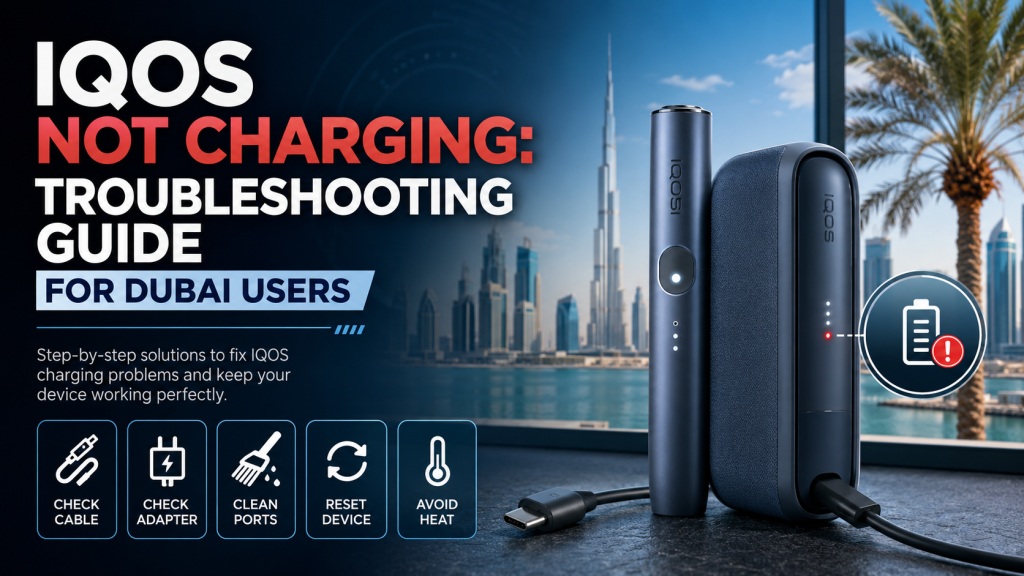
There are few things more frustrating than reaching for your IQOS and finding it completely dead , especially when you are about to head out. IQOS not charging is one of the most common problems reported by users across Dubai and the wider UAE, and it can affect every model in the lineup: IQOS Iluma, Iluma i Devices and older IQOS devices too.
Dubai adds its own complications. The summer heat, fine desert dust, salty coastal air, and the daily habit of leaving devices in parked cars all push IQOS batteries and charging systems harder than most cities in the world. This guide covers every possible cause of a charging failure, every fix you can try at home, and when it finally makes sense to visit a service center.
Signs Your IQOS Is Having a Charging Problem
Device Shows No Charging Lights
When you plug in your IQOS and get absolutely no LED response no flicker, no pulse, nothing the device is either completely drained, receiving no power, or dealing with an internal fault. A dead battery in deep discharge can take 15 to 20 minutes before it shows any indicator lights, so do not assume the device is broken just because nothing happens in the first few seconds.
Battery Percentage Never Increases
Some devices appear to charge , the light pulses, the cable is connected but the battery level never moves. It stays at one LED and goes no further, or it sits empty regardless of how long it has been plugged in. This is often a sign of a failing battery, an underpowered adapter, or a cable delivering just enough current to trigger the charging light without transferring meaningful power to the cell.
Holder Won’t Charge Inside the Pocket Charger
On models like the IQOS ILUMA PRIME, the holder charges by sitting inside the pocket charger. If the pocket charger itself has power but the holder remains dead after hours inside it, the problem is almost always the metal contact points between the two components. Even a thin layer of dust or residue on those contacts is enough to break the connection completely. The blinking white light continuing without progress is the clearest indicator of this issue.
Charging Light Flashes Briefly Then Stops
A light that blinks for a second or two and then disappears suggests the device is detecting a power source but cannot maintain the connection. The most likely causes are a loose or damaged charging cable, dirty charging contacts, a battery that briefly engages then disconnects, or a charger not delivering consistent voltage. Try a different cable first , this symptom is caused by a bad cable more often than anything else.
Device Gets Warm but Doesn’t Charge
A device that feels warm but shows no charging progress is likely in thermal protection mode. IQOS devices pause charging automatically when internal temperatures rise too high , a safety feature that becomes very relevant in Dubai’s summer climate. Some warmth during charging is completely normal. However, if the device is hot to the touch and shows no LED activity after 30 minutes, unplug it immediately, move it to a cooler space, and allow it to cool fully before trying again.
Common Reasons Why Your IQOS Is Not Charging
Faulty USB Cable
Cable damage is the single most common cause of IQOS charging failure. Internal wires break near the connectors where they flex most, a bent USB-C pin prevents a solid connection, and low-quality third-party cables often cannot deliver the current the device needs. The cable looks fine externally but is not working. Always swap the cable first.
Defective Wall Adapter
IQOS devices need 5V at 1 to 2 amps. Adapters that output lower than this charge too slowly or not at all. Fast chargers operating at 9V or 12V trigger the device’s protection circuit and stop charging entirely. An adapter that works perfectly for your phone may not work correctly for your IQOS.
Dirty Charging Contacts
Dust, pocket lint, tobacco residue, and oxidation all build up on charging contacts over time. In Dubai, fine sand particles from seasonal winds and salt air near coastal areas like Dubai Marina and JBR accelerate this process significantly. Contacts that look clean to the eye may still carry enough residue to prevent reliable charging.
Battery Completely Drained
A lithium-ion battery drained to absolute zero enters deep discharge mode. In this state, the internal voltage is too low for the charging circuit to respond immediately. The device will appear completely dead for up to 20 to 30 minutes after being connected to power. This is not a malfunction , it is normal behavior for a deeply discharged cell.
Battery Has Reached End of Life
Batteries degrade over time. After two or more years of daily use, an IQOS battery may charge very slowly, drain within minutes of a full charge, or never reach 100% capacity regardless of how long it is left on the charger. This is chemical degradation inside the cell that no troubleshooting step can reverse. If you want tips on preserving your device for longer before reaching this point, read our guide on how to extend your IQOS ILUMA i device lifespan.
Firmware or Software Issue
The firmware inside an IQOS ILUMA device controls charging behavior. A frozen or outdated firmware version can cause charging logic errors that make the device refuse to charge even when the hardware is perfectly fine. A reset often clears this. A firmware update through the IQOS app resolves more persistent software-related charging faults.
Dubai’s High Temperatures
Car interiors in Dubai reach 60°C to 70°C during summer. Even 15 minutes in a parked car can push the device’s internal temperature high enough to trigger battery protection mode, which halts charging until the device cools completely. Direct sunlight has the same effect. This is one of the most commonly overlooked charging causes among UAE users.
Water or Moisture Damage
High humidity, liquid exposure, and condensation which forms when a cold device moves suddenly into the humid UAE outdoor air , can all cause moisture to enter the charging port or device internals. Even small amounts of moisture cause corrosion that disrupts the charging circuit over time.
Internal Hardware Failure
When all external causes have been ruled out, the fault may be internal. A damaged charging IC, a failed battery cell, or a broken USB-C port caused by physical impact cannot be fixed at home. These require professional service or device replacement.
Quick Checks Before Assuming Your IQOS Is Broken
- ✓ Try another wall outlet
- ✓ Use another USB cable
- ✓ Test a different power adapter
- ✓ Inspect the USB-C charging port for dust or lint
- ✓ Clean charging contacts with a dry cotton swab
- ✓ Leave the device charging for at least 30 minutes without interrupting it
- ✓ Reset the device
How to Fix IQOS Not Charging (Step-by-Step)
Check Your Charging Accessories
Use the original IQOS USB cable and wall adapter. If either is unavailable, use a high-quality replacement rated at 5V/1–2A. Avoid charging from laptop USB ports the current output is too low and will either charge very slowly or not at all.
Clean the Charging Port
Use a dry, soft-bristled brush, an old toothbrush works well to gently clear dust and lint from the USB-C port. Do not use metal tools or sharp objects near the port. The internal pins are fragile and damage to them requires professional repair. Blowing gently by mouth is acceptable for loose dust.
Clean the Holder Charging Contacts
Remove the holder from the pocket charger. Wipe the gold contacts on the base of the holder with a dry cotton swab, then clean the matching contacts inside the pocket charger. Allow both surfaces to air briefly before reinserting. Make sure the holder clicks firmly into place when put back in.
Let a Fully Drained Battery Recover
Connect the device to a wall outlet with the original cable and leave it completely undisturbed for 20 to 30 minutes. A deeply discharged battery will not show LED indicators immediately. Wait for the lights to appear before concluding the device is not charging.
Reset Your IQOS
For most IQOS ILUMA models, hold the device button for 10 seconds until the LEDs go out, then continue holding for 2 more seconds until white lights flash briefly. This clears software freezes and charging logic errors. After the reset, reconnect the charger and check for normal LED behavior. For a full breakdown of IQOS ILUMA errors and resets, see our ultimate guide to common IQOS ILUMA issues.
Allow the Device to Cool Down
If the device has been in a hot car, in direct sunlight, or used heavily, move it to a cool air-conditioned room. Wait 15 to 20 minutes before connecting it to power. Do not place it in a refrigerator the rapid temperature change creates condensation risk.
Update Device Firmware
Open the IQOS app, connect your device via Bluetooth, and check for firmware updates. If one is available, run it with the device at least 30% charged and keep it close to your phone until the update completes. Firmware updates fix charging logic errors that can look exactly like hardware faults.
Test with Another Charger
Borrow a charger from another IQOS user or test your device with a second confirmed-working cable and adapter. If the device charges normally with a different charger, the fault is with your original accessories. If it still does not charge, the problem is with the device itself.
IQOS Charging Light Meanings
| Charging Light | Meaning | Recommended Action |
|---|---|---|
| No light | No power reaching device | Check charger and cable. Wait 20–30 min if battery is fully drained. |
| Pulsing white | Charging normally | Wait until fully charged. |
| Solid white | Fully charged | Ready to use. Unplug the device. |
| Flashing red | Device error | Reset the device. If it persists, contact IQOS UAE support. |
| Blinking while charging | Charging in progress | Normal behavior. Continue waiting. |
| Red after charging | Possible hardware issue | Reset first. If red continues, visit an IQOS service center. |
Device-Specific Charging Problems
IQOS ILUMA Not Charging
The IQOS ILUMA charges via USB-C directly. The most common causes are a faulty cable, a blocked port from desert dust, or a deeply discharged battery. Clean the port, swap the cable, and leave it on charge for 30 minutes before drawing any conclusions. For a broader look at ILUMA problems beyond charging, check our IQOS ILUMA not working fix guide.
IQOS ILUMA ONE Not Charging
The IQOS ILUMA ONE is a single-unit device with no separate holder. USB-C port blockage from dust and lint is the primary culprit. Because there is no removable battery, a deep discharge recovery can take longer, allow up to 40 minutes before expecting LED activity.
IQOS ILUMA PRIME Not Charging
The IQOS ILUMA PRIME has a pocket charger that powers the holder via contact points. If the pocket charger has power but the holder stays dead, the gold contacts between the two need cleaning. Also confirm the pocket charger itself is charged via USB-C before troubleshooting the holder separately.
IQOS ILUMA i Standard Not Charging
The IQOS ILUMA i Standard has smart charging features controlled by firmware. Firmware-related charging issues are more common on this model than older ones. A firmware update via the IQOS app resolves most software-related charging failures. Monthly battery calibration also helps maintain accurate charge reporting.
IQOS ILUMA i ONE Not Charging
Battery protection mode can stay active on the IQOS ILUMA i ONE for longer than users expect after heat exposure. If the device has been outdoors in Dubai’s summer, allow a full 20 minutes of cooling in an air-conditioned room before attempting to charge. Also check the USB-C port for sand particles. Our IQOS ILUMA i ONE troubleshooting guide covers this and other common problems in detail.
IQOS ILUMA i PRIME Not Charging
Charging dock connection problems are specific to the IQOS ILUMA i PRIME. Both the dock contacts and the device contacts require regular cleaning. If the device charges from USB-C directly but not through the dock, the dock contacts are the issue. Internal battery concerns on this model require professional service , do not attempt to open the device.
Why Your IQOS Charges Very Slowly
Weak Charging Adapter
An adapter delivering less than 1 amp at 5V will charge the IQOS very slowly or not at all. Check the output rating printed on the back of your adapter before using it.
Charging Through a Computer USB Port
Standard laptop USB-A ports typically deliver only 500mA, roughly a quarter of what a wall adapter provides. Charging from a laptop is acceptable in a pinch but expect the process to take significantly longer than usual.
Battery Aging
An older battery that has lost capacity charges more slowly and drains faster. If your device has been in daily use for more than two years, battery aging is likely contributing to slow charging performance.
High Ambient Temperature
The device charges more slowly in a hot environment because the thermal management system limits current to prevent overheating. Charge in a cool, air-conditioned space for the fastest and safest results.
Damaged Charging Cable
A cable with partial internal damage delivers less than its rated current. Bend it gently near both connectors while plugged in if the charging indicator changes during this test, the cable has internal wire damage and needs replacing.
Dirty Charging Contacts
Partially blocked contacts create resistance that reduces charging current. A quick wipe with a dry cotton swab often restores normal charging speed immediately.
Can Dubai Weather Affect IQOS Charging?
Charging in Extreme Heat
IQOS devices are designed to charge between 10°C and 40°C. Dubai’s outdoor temperatures in summer regularly exceed this upper limit. Attempting to charge a device already above 40°C internally triggers the thermal protection circuit and halts charging automatically.
Leaving the Device Inside a Parked Car
Car interiors in Dubai can reach 70°C in July. Even short exposure at these temperatures causes permanent battery capacity loss. The damage is invisible at first but shows up weeks later as shorter sessions and unreliable charging. Never leave your IQOS in a parked car during summer months.
Sand Blocking the Charging Port
The spring dust winds between March and May deposit fine particles into open USB-C ports within hours of exposure. Sand packed into the port by a cable insertion attempt is difficult to remove without professional tools. A silicone port cover prevents this problem almost entirely.
Condensation from Air Conditioning
Moving a cold, air-conditioned device into Dubai’s humid outdoor air causes moisture to condense on internal components. This risk is highest between May and September in coastal areas. Allowing the device a few minutes to acclimate when moving between extreme temperature environments reduces condensation significantly.
Safe Charging and Storage Tips for UAE Users
Always charge indoors in an air-conditioned space. Store the device in a case with a port cover when not in use. Clean contacts twice a week if you live near the coast. Never charge the device immediately after bringing it from a hot car, let it cool for at least 10 minutes first. For more tips specific to the UAE climate, our guide on extending your IQOS ILUMA i lifespan in the UAE is worth reading.
Common Charging Mistakes That Can Damage Your IQOS Battery
Using Cheap Third-Party Chargers
Low-cost chargers from petrol stations and unknown shops in the UAE frequently deliver unstable voltage that causes cumulative battery damage across many charge cycles. Always stick to the original IQOS accessories or a genuine replacement.
Charging Overnight Every Day
Keeping the battery at 100% for extended periods accelerates cell aging. Try to unplug the device once it reaches a full charge rather than leaving it connected overnight every single day.
Charging in Direct Sunlight
Sunlight adds heat to an already warm charging process. Charging on a windowsill, outdoor table, or poolside surface in Dubai pushes internal temperatures into the damage range quickly and silently.
Using the Device with Wet Charging Ports
Inserting a cable into a wet port creates a short circuit risk. Always dry the port thoroughly after any water or sweat exposure and allow it to air for five minutes before charging.
Ignoring Flashing Red Lights
A flashing red LED is the device’s signal that something needs attention. Continuing to force charge a device showing persistent red lights can worsen an underlying fault to the point where professional repair is no longer possible.
Frequently Bending or Pulling the Charging Cable
Yanking the cable by the cord instead of the connector and storing it tightly coiled both cause internal wire fatigue. Handle cables carefully and store them loosely to extend their life.
When Should You Replace Your IQOS?
Device Doesn’t Charge After All Troubleshooting
If the device still does not charge after working through every step in this guide, the fault is internal. Professional service assessment is the appropriate next step. You can also browse the full IQOS ILUMA range at Vape hype if you decide replacement is the more practical option.
Battery Drains Within Minutes
A battery that reaches zero within five to ten minutes of a full charge has reached end-of-life. This condition cannot be reversed by any fix. Battery replacement by an IQOS technician or full device replacement are the only realistic paths forward.
Device Overheats While Charging
Mild warmth is normal. If the device becomes too hot to hold comfortably during charging, stop immediately. A battery generating that level of heat may represent a safety concern and should be assessed by a professional before further use.
Swollen or Damaged Battery
Any visible deformation, bulging, or cracking of the device casing indicates internal battery swelling. Stop using the device, do not charge it, and take it to an IQOS service center for safe handling and replacement guidance.
Broken USB-C Charging Port
A loose, bent, or non-functional USB-C port requires professional repair. On older models, the cost of port repair is often close to the cost of a replacement device. A service center technician can give you an honest comparison.
Physical Damage from Drops or Water Exposure
A charging problem that began immediately after a significant drop or water exposure is almost certainly caused by physical damage. Home troubleshooting will not resolve this, professional assessment is needed. If you decide to replace the device, make sure you buy from a verified source. Our guide on how to authenticate your IQOS ILUMA i and avoid fakes can help you make a safe purchase.
How to Prevent IQOS Charging Problems
Always Use Original Charging Accessories
The original IQOS cable and adapter are designed for the device’s specific charging requirements. Using them eliminates the risk of voltage mismatches and connector damage that third-party accessories introduce over time.
Keep Charging Contacts Clean
Clean the charging contacts weekly with a dry cotton swab. For users in coastal areas such as Dubai Marina, JBR, or Abu Dhabi Corniche, twice a week is more appropriate given the salt air environment.
Avoid Dubai’s Extreme Heat
Never leave your IQOS in a parked car, on a surface in direct sunlight, or in any enclosed space that heats up under the UAE sun. If it is too hot for you to sit comfortably, it is too hot for your device.
Charge Before the Battery Is Completely Empty
Connect the device to charge when it reaches one or two LED bars remaining. Regularly draining the battery to zero before charging accelerates cell degradation and increases the risk of deep discharge problems over time.
Store the Device Properly
Keep the device in its protective case when not in use. Avoid storing it loose in a bag where the charging port is exposed to dust, or in a car where it faces extreme temperature swings throughout the day.
Keep the USB-C Port Free of Dust and Sand
Use a silicone port cover whenever the device is not charging. These are inexpensive and widely available at trusted IQOS retailers. They are especially worth using during the spring dust season between March and May.
Install Firmware Updates
Check the IQOS app monthly for firmware updates. Updates frequently improve charging management and battery calibration behavior. A device running current firmware handles UAE conditions more reliably than one running software that is several versions out of date.
Handle Charging Cables Carefully
Pull from the connector, not the cord. Store cables loosely coiled. Keep them away from sharp edges and heavy objects. A cable that is handled with basic care lasts far longer and removes one of the most common variables when a charging problem does eventually appear.
IQOS Not Charging Troubleshooting Flowchart
IQOS Not Charging
       |
       v
Check Wall Outlet
       |
       v
Check USB Cable
       |
       v
Check Power Adapter
       |
       v
Clean Charging Port
       |
       v
Clean Holder Contacts
       |
       v
Charge for 30 Minutes
       |
       v
Reset Device
       |
       v
Update Firmware
       |
       v
Still Not Charging?
       |
       v
Possible Battery or Hardware Failure
       |
       v
Visit an IQOS Service Center or Replace the Device
Frequently Asked Questions
Why is my IQOS not charging at all?
Most likely a faulty USB-C cable, dirty charging contacts, or a deeply discharged battery, swap the cable first and leave it plugged in for 30 minutes before anything else.
Can a faulty USB cable stop my IQOS from charging?
Yes, it is one of the most common causes , a cable can have internal wire damage while looking perfectly fine from the outside.
Can Dubai’s heat damage my IQOS battery?
Yes , leaving the device in a parked car or direct sunlight above 40°C causes permanent battery capacity loss over time.
Why is my IQOS charging very slowly?
Usually a weak adapter or laptop USB port switch to the original IQOS charger plugged into a wall outlet in a cool room.
Should I reset my IQOS if it won’t charge?
Yes, once you have ruled out cable and contact issues, a reset clears software freezes that can block the charging circuit.
Can I use any USB-C charger with my IQOS?
No, stick to 5V/1–2A output only, as fast chargers at higher voltages trigger the protection circuit and stop charging entirely.
Why does my IQOS stop charging halfway?
Usually a loose cable, dirty contacts, or thermal protection activating clean the contacts and charge in a cool air-conditioned space.
Why is my IQOS warm while charging?
Mild warmth is normal, but if it becomes too hot to hold comfortably, move it to a cooler room and let it cool before continuing.
Conclusion
IQOS not charging is a frustrating problem, but in most cases it has a straightforward cause. Faulty cables, dirty charging contacts, deeply discharged batteries, firmware issues, and Dubai’s extreme temperatures account for the vast majority of charging failures reported by UAE users. Working through the steps in this guide resolves the problem for most people without any cost and without a service center visit.
The habits that prevent these problems are just as simple: use genuine charging accessories, keep the contacts clean, charge in a cool environment, and never leave the device in a parked car during summer. These small adjustments make a real difference to how reliably the device charges and how long the battery lasts in conditions as demanding as those in Dubai and across the UAE.
If the device still does not charge after completing every step in this guide, the fault is internal and beyond home repair. Visit an IQOS service center in the UAE for professional assessment and to discuss whether repair or replacement is the right path forward. You can also explore the full range of IQOS ILUMA i devices at Vape hype if a replacement is what you need all products are genuine and backed by fast delivery across the UAE.